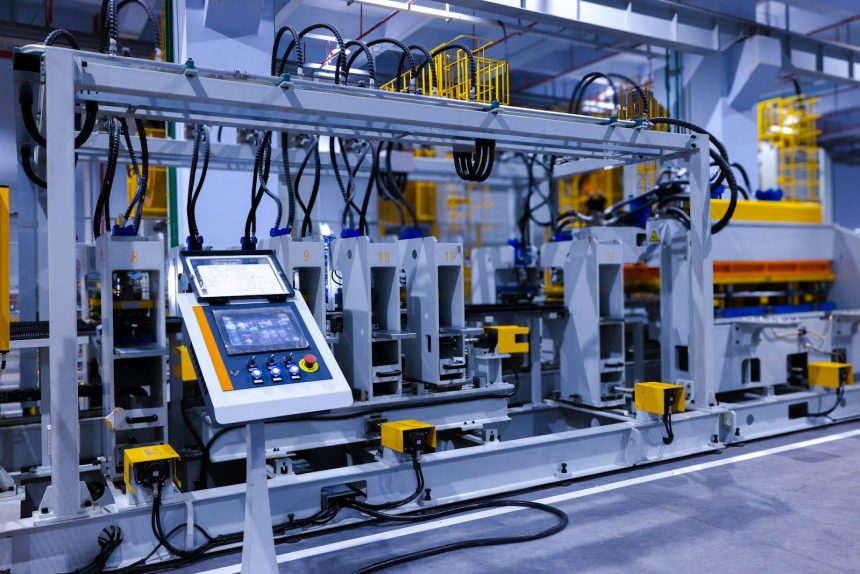
Embracing Automation: Automation has become one of the most talked-about opportunities in modern business. From automated emails and chatbots to artificial intelligence, scheduling tools, accounting software, inventory systems, and workflow platforms, businesses can now automate an impressive range of everyday tasks.
- What Does Business Automation Really Mean?
- Why Businesses Are Embracing Automation
- The Benefits of Automation
- Automation Should Remove Friction, Not Relationships
- Identify the Right Tasks to Automate
- Start With the Most Repetitive Work
- Don’t Automate a Broken Process
- Keep Humans in the Loop
- Use Automation to Empower Employees
- Don’t Measure Success Only Through Labour Savings
- Preserve Personalisation
- Give Customers an Easy Way to Reach People
- Train Employees to Work With Automation
- Address Employee Concerns Honestly
- Automation Can Make Work More Human
- Protect the Human Voice in Marketing
- Use AI Carefully
- Build Clear Approval Points
- Design for Exceptions
- Monitor Automated Systems
- Protect Data and Privacy
- Don’t Automate Communication During Sensitive Moments
- Make Human Interaction a Feature
- Create a Human-Centred Automation Strategy
- Step 1: Map Your Workflows
- Step 2: Identify Pain Points
- Step 3: Simplify
- Step 4: Select the Right Technology
- Step 5: Define Human Oversight
- Step 6: Train Employees
- Step 7: Test Before Scaling
- Step 8: Measure Results
- Step 9: Improve Continuously
- The Future of Human and Machine Collaboration
- FAQs About Embracing Automation
- 1. Does automation mean businesses will need fewer employees?
- 2. What tasks should businesses automate first?
- 3. How can companies prevent automation from making customer service feel robotic?
- 4. Can small businesses benefit from automation?
- 5. How can businesses balance AI automation with human judgement?
For a growing company, that sounds like great news.
Automation can save time, reduce repetitive work, improve consistency, and help employees focus on higher-value responsibilities. It can even allow a small team to operate with the efficiency of a much larger organisation.
But there is another side to the conversation.
What happens when businesses automate too much?
A customer receives a robotic response when they really need empathy. An employee gets an automated message instead of a meaningful conversation. A personalised service becomes a collection of generic workflows. A company becomes incredibly efficient at doing things customers never wanted in the first place.
That is where the human element matters.
The goal should not be to choose between automation and people. The smarter approach is to combine the strengths of both. Machines are excellent at repetitive, predictable, data-heavy tasks. Humans are better at empathy, creativity, judgement, relationships, negotiation, and understanding context.
The future of effective business is therefore not simply automated.
It is human-centred automation.
What Does Business Automation Really Mean?
Business automation means using technology to perform tasks or workflows with limited manual intervention.
That can include simple processes such as automatically sending an appointment reminder or more advanced systems involving artificial intelligence and connected databases.
Common examples include:
- Automated email sequences
- Invoice generation
- Payroll processing
- Appointment scheduling
- Inventory alerts
- Customer-support chatbots
- Lead qualification
- Data entry
- Social media scheduling
- Workflow notifications
- Automated reporting
Automation does not necessarily mean removing humans from the process.
Often, it simply moves people away from repetitive steps.
Why Businesses Are Embracing Automation
The appeal is easy to understand.
Employees spend considerable amounts of time performing repetitive administrative work.
Someone may spend hours each week copying information between systems.
Another employee may answer the same customer question dozens of times.
A manager might manually create reports that could be generated automatically.
Automation can reduce these workloads.
Instead of spending three hours preparing a routine report, an employee might spend 20 minutes reviewing an automatically generated version.
That is not just a technology upgrade.
It is a productivity upgrade.
The Benefits of Automation
Automation can offer several practical advantages.
Time Savings
Automated systems can complete repetitive tasks quickly.
Consistency
A properly configured workflow performs the same process each time.
Fewer Manual Errors
Automation can reduce mistakes caused by repetitive data entry.
Scalability
A business can often handle increased activity without increasing every administrative task at the same rate.
Faster Response Times
Automated systems can operate outside normal working hours.
Better Employee Focus
Employees can spend more time on work requiring judgement and creativity.
But these benefits only appear when automation is implemented thoughtfully.
Automation Should Remove Friction, Not Relationships
Here’s a useful rule:
Automate tasks, not relationships.
A customer may appreciate an automated order confirmation.
They may not appreciate being forced through ten automated menus when they have a complicated problem.
An employee may appreciate an automated reminder about a deadline.
They may not appreciate receiving an automated message about a sensitive workplace issue that deserves a personal conversation.
The distinction matters.
Automation works best when it removes unnecessary friction while preserving meaningful human interaction.
Identify the Right Tasks to Automate
Not every task deserves automation.
A good candidate is usually:
- Repetitive
- Predictable
- Rules-based
- Time-consuming
- Easy to measure
- Low-risk when automated
Examples include scheduling appointments, sorting routine information, generating standard reports, sending reminders, and updating records.
A poor candidate may involve:
- Emotional sensitivity
- Complex judgement
- Ambiguous situations
- Negotiation
- Relationship building
- Ethical decisions
- Highly personalised communication
Before automating something, ask:
Does this task genuinely benefit from automation?
If the answer is no, leave it human.
Start With the Most Repetitive Work

You do not need to automate the entire company.
Start by identifying tasks employees repeat constantly.
Ask team members:
“What task do you do every week that feels unnecessarily repetitive?”
You may discover that someone spends hours creating spreadsheets.
Someone else may manually send appointment reminders.
Another employee may copy customer information between systems.
These are opportunities.
The people performing the work often know exactly where automation could help.
Don’t Automate a Broken Process
This is one of the biggest mistakes businesses make.
Suppose your customer onboarding process is confusing.
You automate every step.
Now you have a confusing process that happens faster.
Automation does not fix bad processes.
It can actually make them harder to notice because everything appears efficient on the surface.
Before automating, examine the workflow.
Ask:
- Why does this step exist?
- Is it still necessary?
- Can we eliminate it?
- Can we simplify it?
- Who actually needs the information?
- What happens when something goes wrong?
Simplify first.
Automate second.
Keep Humans in the Loop
Human oversight is particularly important when automation affects customers, employees, money, or important business decisions.
A system might automatically flag a customer account.
A human can review the case before action is taken.
An AI system might draft a customer response.
An employee can check it before sending.
An automated financial workflow might identify an unusual transaction.
A person can investigate.
This creates a useful balance.
The machine provides speed.
The human provides judgement.
Use Automation to Empower Employees
Automation should not only benefit management.
Employees should feel the benefits too.
Imagine an employee who spends five hours every week entering data manually.
If automation reduces that workload, what happens to the saved time?
Ideally, the employee uses it for work that creates more value.
They might talk to customers.
Develop new ideas.
Solve problems.
Improve products.
Build relationships.
Learn new skills.
This is where automation becomes more than a cost-cutting tool.
It becomes a way to improve the quality of work.
Don’t Measure Success Only Through Labour Savings
Businesses often evaluate automation by asking:
“How much money did we save?”
That’s a useful question, but it is not the only one.
Also ask:
- Did response times improve?
- Did customer satisfaction improve?
- Did employees have more time for meaningful work?
- Did errors decrease?
- Did revenue increase?
- Did customers receive better service?
- Did employees experience a less repetitive workload?
Automation should create value, not simply reduce headcount.
A system that saves money but damages customer relationships may not be creating sustainable value.
Preserve Personalisation
Automation and personalisation are not opposites.
In fact, automation can sometimes make personalisation easier.
A customer relationship platform can remember preferences.
An email system can send relevant messages based on customer behaviour.
An e-commerce system can recommend products based on previous purchases.
The key is using data thoughtfully.
Personalisation should feel helpful rather than invasive.
Avoid Generic Automated Messages
Automation becomes obvious when every customer receives exactly the same message.
Instead of:
“Dear Customer, your request has been received.”
A more relevant message might explain what was requested, what happens next, and when the customer can expect a response.
Small details can make automated communication feel considerably more human.
Give Customers an Easy Way to Reach People
Customer-service automation should always have an escalation path.
A chatbot can answer routine questions.
But what happens when the customer has a problem the chatbot cannot understand?
There should be a clear way to reach a human.
Customers should not have to repeatedly type “agent” into a chatbot while receiving irrelevant responses.
A good system recognises when automation has reached its limit.
That moment should trigger a smooth handoff.
Train Employees to Work With Automation
Automation changes jobs.
Employees may need to learn how to supervise systems, interpret reports, review AI-generated content, manage exceptions, or work with new software.
Training should therefore be part of automation planning.
Do not simply install a new system and send employees a login link.
Explain:
- Why the technology is being introduced
- What problem it solves
- How employees should use it
- What they should check
- What they should do when something goes wrong
- Which decisions still require human approval
People are much more likely to embrace automation when they understand its purpose.
Address Employee Concerns Honestly
Employees may worry about automation.
They may wonder:
“Will this replace my job?”
Ignoring those concerns will not make them disappear.
Leaders should communicate openly about what automation is intended to accomplish.
When possible, explain how technology will change responsibilities.
For example, instead of saying:
“The new system will replace the manual reporting process.”
Explain:
“The system will generate the report automatically so the team can spend more time analysing the results and working with customers.”
The difference is meaningful.
Automation Can Make Work More Human
This sounds strange, but it is true.
Some jobs contain tasks that have very little human value.
Imagine a customer-service employee spending most of the day copying information from one system to another.
That is technically work, but it may not be the reason they chose customer service.
If automation removes those repetitive tasks, the employee may have more time for actual conversations with customers.
The machine handles the paperwork.
The human handles the relationship.
That’s a powerful combination.
Protect the Human Voice in Marketing

Marketing automation is incredibly useful.
Businesses can schedule campaigns, segment audiences, send reminders, and personalise messages.
But automated marketing can quickly become exhausting.
Customers receive endless emails that sound like they were written by a machine.
The solution is not necessarily less automation.
It is better communication.
Use automation for timing and distribution while keeping the actual message relevant, useful, and human.
Use AI Carefully
Artificial intelligence has expanded what automation can do.
AI systems can generate text, summarise information, analyse data, classify requests, assist with customer service, and support decision-making.
But AI output should not automatically be treated as perfect.
AI can misunderstand context.
It can produce inaccurate information.
It can miss emotional nuance.
It can reflect problems in the data or instructions it receives.
Human review remains important, especially for sensitive or high-impact decisions.
Build Clear Approval Points
Not every automated action needs approval.
If a system sends a standard appointment reminder, human approval may be unnecessary.
If an AI system is preparing a sensitive customer response, approval may be appropriate.
Create clear boundaries.
For example:
Low-risk task: Automatic.
Medium-risk task: Automatic draft, human review.
High-risk task: Human decision required.
This approach allows businesses to gain efficiency without surrendering control.
Design for Exceptions
Automation works beautifully when everything goes according to plan.
Real life rarely cooperates.
A customer enters an unusual request.
A payment fails.
A shipment is delayed.
A supplier changes its information.
An employee needs an exception.
A good automated workflow includes paths for unusual situations.
Instead of asking:
“What happens when everything works?”
Ask:
“What happens when something goes wrong?”
That question can reveal weaknesses before customers encounter them.
Monitor Automated Systems
Once automation is running, it should not be forgotten.
Monitor performance.
Look for:
- Failed workflows
- Incorrect outputs
- Customer complaints
- Unusual activity
- High escalation rates
- Unexpected costs
- Declining satisfaction
Automation can operate at scale, which means a small error can sometimes affect many people quickly.
Regular monitoring provides an opportunity to catch problems early.
Protect Data and Privacy
Automation often depends on data.
Customer information may move between systems.
Employee data may be processed by software.
AI tools may receive business information.
Businesses need to understand where data goes, who can access it, how it is stored, and how it is protected.
Avoid sending sensitive information into tools that have not been approved for business use.
Use appropriate access controls.
Collect only the information necessary for the task.
Automation should not become an excuse for careless data handling.
Don’t Automate Communication During Sensitive Moments
Some situations deserve a human voice.
Examples include:
- Serious customer complaints
- Employee disciplinary matters
- Job-loss notifications
- Personal crises
- Major service failures
- Sensitive negotiations
- High-value relationship management
An automated message can feel cold or disrespectful in these situations.
Human judgement matters most when emotions and consequences are significant.
Make Human Interaction a Feature
Businesses sometimes treat human support as a fallback.
It should not always be.
Human interaction can be a competitive advantage.
When customers know they can reach someone who listens, understands context, and takes responsibility, they may feel more confident doing business with the company.
Automation can make that human service more sustainable by reducing the volume of routine work.
Instead of eliminating human contact, it can help reserve human attention for moments when it matters most.
Create a Human-Centred Automation Strategy
A practical strategy can follow several steps.
Step 1: Map Your Workflows
Identify repetitive processes across the organisation.
Step 2: Identify Pain Points
Find the tasks that consume time without creating much value.
Step 3: Simplify
Remove unnecessary steps before automating.
Step 4: Select the Right Technology
Choose tools that fit your actual requirements.
Step 5: Define Human Oversight
Decide which actions require human review.
Step 6: Train Employees
Teach people how to use and supervise the new system.
Step 7: Test Before Scaling
Run the automation on a limited basis first.
Step 8: Measure Results
Track efficiency, quality, customer satisfaction, and employee experience.
Step 9: Improve Continuously
Automation should evolve as the business changes.
The Future of Human and Machine Collaboration
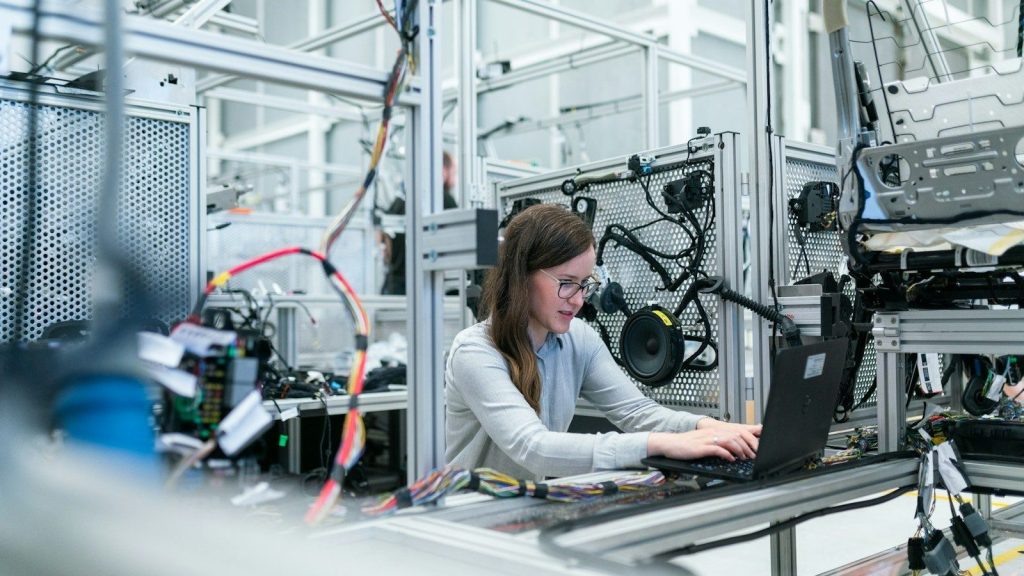
The future of work is unlikely to be a simple contest between humans and machines.
Instead, businesses will increasingly combine the strengths of both.
Machines can process information quickly.
Humans can understand context.
Machines can repeat tasks consistently.
Humans can adapt when circumstances change.
Machines can operate continuously.
Humans can build trust and relationships.
The opportunity lies in putting these capabilities together.
Imagine an employee arriving at work with routine reports already prepared, customer questions already categorised, appointments already organised, and potential problems already flagged.
Instead of spending the morning sorting information, the employee can focus on deciding what to do with it.
That is the promise of thoughtful automation.
In conclusion, Automation can transform the way businesses operate, but efficiency should never become the only goal.
The strongest automation strategies understand that people are not simply costs to be removed from a workflow. Employees bring creativity, empathy, judgement, experience, curiosity, and relationship-building skills that technology cannot fully replicate.
At the same time, employees should not spend their days performing repetitive tasks that software can handle reliably.
The answer lies somewhere between the two extremes.
Automate repetitive work.
Keep humans involved where judgement matters.
Give employees better tools rather than simply more technology.
Make it easy for customers to reach real people.
Review automated decisions when the stakes are high.
Protect personal information.
Measure not only efficiency but also customer and employee experience.
Most importantly, remember why you are automating in the first place.
The goal is not to make a business feel more mechanical.
The goal is to free people to do more meaningful work.
When automation handles the predictable and people handle the personal, businesses can become faster without becoming colder. That balance may ultimately be the real competitive advantage: technology doing what it does best while humans remain responsible for what makes business human.
FAQs About Embracing Automation
1. Does automation mean businesses will need fewer employees?
Automation can change the number and type of tasks employees perform, and some roles may be redesigned as technology develops. However, automation can also create opportunities for employees to focus on customer relationships, creativity, analysis, strategy, and other higher-value responsibilities. Its impact depends on how each organization implements it.
2. What tasks should businesses automate first?
Start with repetitive, predictable, rules-based tasks that consume significant time. Scheduling, routine reporting, data entry, reminders, invoice processing, and basic information requests are common examples.
3. How can companies prevent automation from making customer service feel robotic?
Give customers easy access to human support, use personalization thoughtfully, avoid unnecessary automated messages, and design workflows around customer needs rather than simply reducing human interactions. Automation should make service easier, not create additional barriers.
4. Can small businesses benefit from automation?
Absolutely. Small businesses can use automation to reduce administrative work, manage leads, schedule appointments, communicate with customers, process routine tasks, and organize information. Starting with a few high-impact workflows can provide benefits without requiring a massive technology investment.
5. How can businesses balance AI automation with human judgement?
Define which tasks AI can handle independently and which require human review. Low-risk repetitive activities can often be automated, while sensitive decisions, unusual cases, and situations involving significant financial, personal, or customer consequences should receive appropriate human oversight.